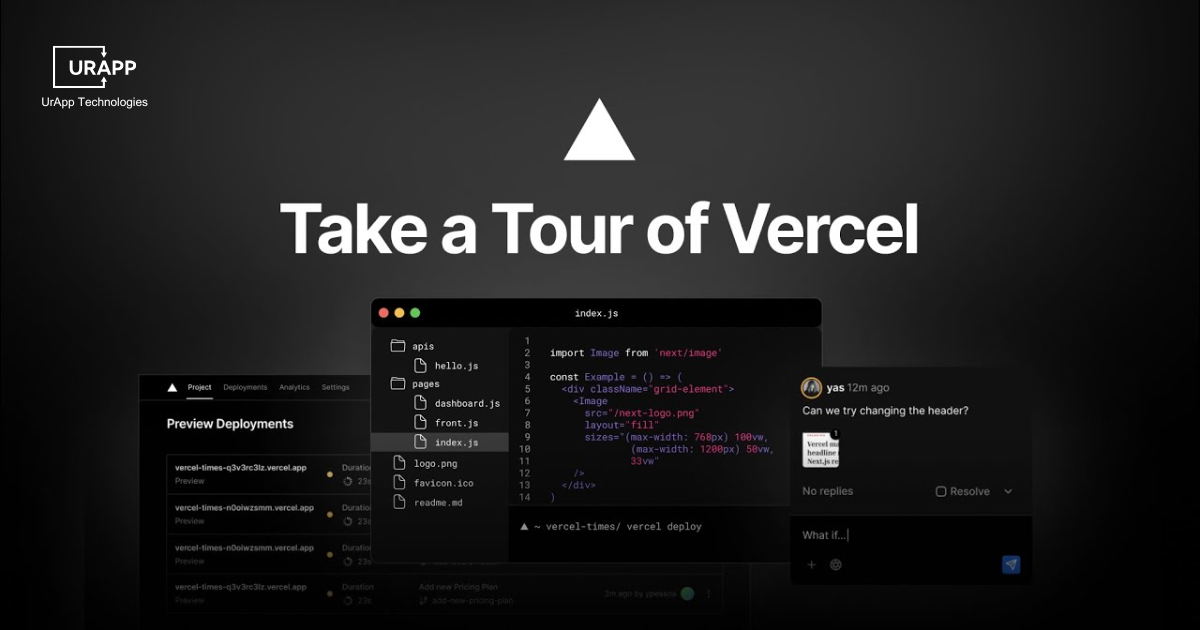
Vercel v0 Guide: Features, Pricing & Security
Key Takeaways
- Vercel v0 is ideal for rapid prototyping, early-stage projects, and simple component creation but less suited for complex systems.
- The tool accelerates prototyping and MVP development, helping teams validate ideas faster and focus on creativity.
- It offers flexible pricing plans — Free, Premium, Team, and Enterprise — tailored for individuals, freelancers, and enterprises.
- Vercel v0 transforms natural language prompts into production-ready UI code built with React and Tailwind CSS.
- AI-generated code introduces security risks like dependency management and data protection challenges, requiring human oversight.
What is v0 by Vercel and Why It Matters?
Vercel v0 is an AI-powered tool that allows developers to create user interfaces simply by describing them in natural language. Instead of manually writing code line by line, users can type prompts like “build a modern login page with a blue theme”, and v0 instantly generates production-ready React and Tailwind CSS components.
The tool is part of a new movement in development known as Generative UI, where artificial intelligence translates creative ideas into functional code. This eliminates repetitive coding tasks and helps teams move from concept to prototype in minutes.
Why it matters:
v0 represents a major step toward faster, more accessible web development. It reduces the gap between designers and developers, enabling both to collaborate more fluidly. In an era where speed and creativity define success, v0 allows teams to validate ideas quickly, iterate efficiently, and focus on innovation instead of syntax.
This blog will provide a clear, step-by-step overview of how v0 works, its core features, and its practical applications in modern web development, giving you the insights needed to understand its purpose and potential for your own projects.
Origin and Founder
Guillermo Rauch is the founder and CEO of Vercel, the company behind the AI app-building tool v0. He also created popular JavaScript frameworks like Next.js and Socket.io.
Meaning of Generative UI
Generative UI is the creation of user interface components through AI-powered prompts rather than manually writing code for every detail.
Developers describe what they need, such as a login form, navigation bar, or product card, and the system generates ready-to-use components that simplify application development.
This approach combines human creativity with AI efficiency, allowing teams to focus on design and user experience while reducing repetitive coding tasks. By automating UI generation, projects can be completed faster, with fewer errors, and more room for innovation.
Features of Vercel v0
1. From Prompt to Production Ready Code
v0 by Vercel generates code ready for deployment, eliminating extra steps that normally slow down project completion significantly.
2. Framework Integration
Generated components follow frameworks in programming like React and Tailwind CSS, providing a clean structure and strong compatibility for projects.
3. Modular UI Elements
Developers receive modular UI elements that integrate directly into applications, supporting scalable solutions without future disruption or extra effort.
4. Maintainable and Organized Code
v0 by Vercel ensures maintainable and organized code, letting teams focus entirely on product functionality and improving user experience.
5. Production-Ready Outputs
The tool removes unnecessary mockups and placeholder code, giving real production-ready outputs usable immediately in development projects.
6. Precise and Structured Code
Developers gain precise and structured code, reducing debugging and accelerating future updates across all project components.
7. Speedup Development Cycles
Vercel v0 shortens time from concept to functional MVP, allowing teams to validate ideas quickly without sacrificing precision or quality.
Benefits of Vercel v0
-
Teams complete tasks faster while maintaining high-quality standards for large or complex application requirements efficiently.
-
Provides a clean structure and strong compatibility for projects.
-
Supports scalable solutions without future disruption or extra effort.
-
Lets teams focus entirely on product functionality and improving user experience.
-
Gives real production-ready outputs usable immediately in development projects.
-
Reduces debugging and accelerates future updates across all project components.
-
Allows teams to validate ideas quickly without sacrificing precision or quality.
Step by Step Guide to Vercel v0
This guide shows how v0 by Vercel turns prompts into ready code, creating what developers call the v0 vibe coding flow.
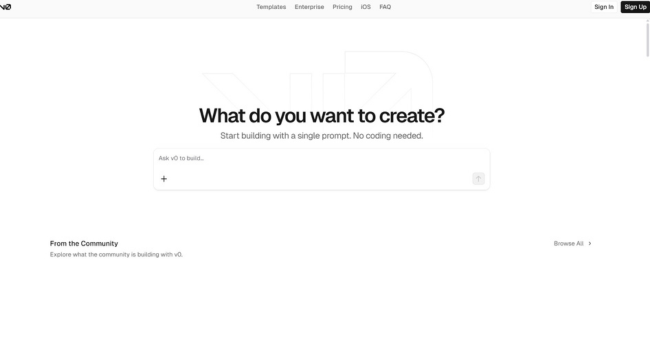
Start v0 from the Dashboard
-
Log into your Vercel account and open v0 from the dashboard where tools appear.
-
Select v0 to enter the workspace where prompts turn into usable code within moments.
-
Start a new project or connect an existing one to maintain a smooth workflow.
-
The dashboard ensures easy access with a simple flow for every stage.
Write a Clear Prompt
-
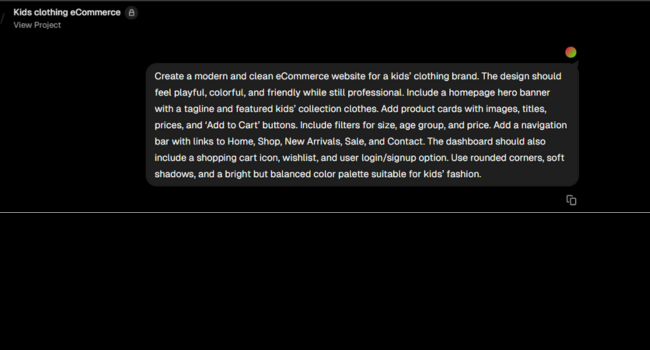
Developers type what they want, for example, create a clean eCommerce website for a kids clothing brand.
-
The system reads the text and generates a UI component that matches requirements with precise design.
-
Each prompt delivers practical results, giving developers the v0 vibe coding flow with quick outcomes.
Personalize the Generated Components
-
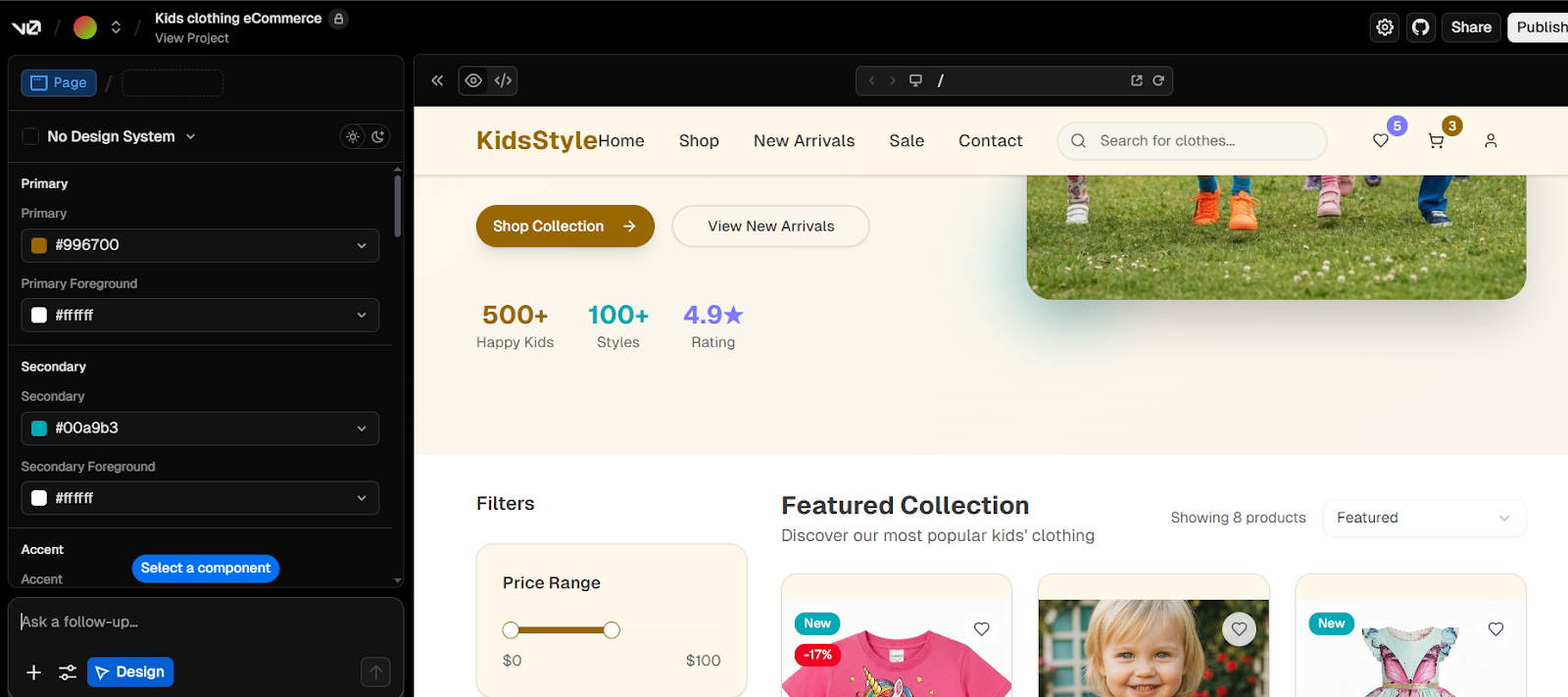
Developers adjust layout, colors, or text once the component appears in the editor.
-
Updates apply instantly, keeping developers in control of visual and functional details.
-
Vercel v0 offers automation yet allows unique customization to fit project needs.
-
This mix of flexibility and structure defines the v0 vibe coding experience.
Export and Integrate the Code
-
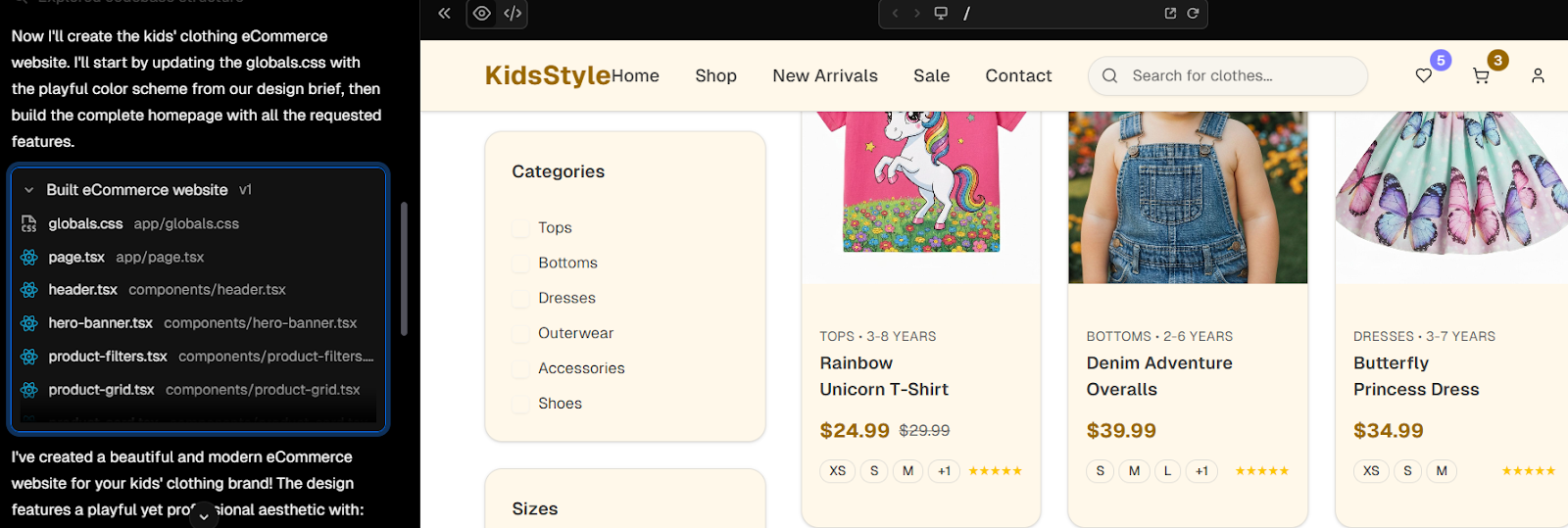
When satisfied, developers export the generated code into their local environment or project.
-
The code fits common frameworks and ensures smooth operation across systems.
-
Unlike standard tools, v0 delivers outputs that avoid mismatches or rework.
-
Developers stay focused on goals with simple integration steps.
Deploy with Confidence
-
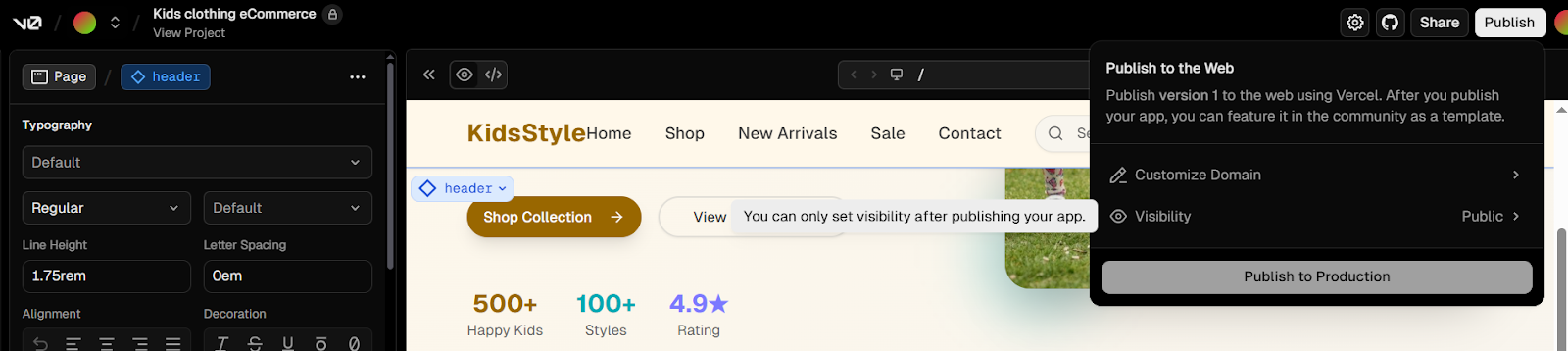
After preparing code, developers deploy through Vercel by clicking deploy and adding project details.
-
Deployment completes fast and turns prompts into live applications ready for use.
-
Vercel v0 gives a direct path from idea to launch without delay.
-
This simplicity reflects the true v0 vibe coding experience.
The final result will shock you! Have a look!
Vercel v0 Pricing Understanding the Cost
This part will present a clear breakdown of the pricing plans for Vercel v0 pricing. It will list each plan and its features.
| Plan | Price | Key Features |
|---|---|---|
| Free | $0/month |
Deploy apps at no cost Visual edits via Design Mode GitHub sync for version control $5 monthly credits for limited deployments |
| Premium | $20/month |
$20 monthly credits Buy extra credits for larger projects Supports files 5x larger than Free plan Import designs from Figma Advanced automation via API |
| Team (Recommended) | $30/user/month |
$30 monthly credits per user Shared extra credits for the team Centralized billing Team communication and project coordination tools API integration for workflows |
| Enterprise | Custom |
Enhanced security and access controls Flexible training opt-out- SAML SSO authentication Priority deployment performance Dedicated enterprise-level support |
Evaluate the Value for Your Investment
The value of Vercel v0 pricing depends on who you are. The Free plan is perfect for individuals who want to test the tool. It is a great way to start. The Premium plan works well for serious users and freelancers. You get more credits and access to the API. For groups that work together, the Team plan is a must. It has a shared credit pool and tools for collaboration. The Enterprise plan is for big companies that need the most security and support.
When Vercel v0 Makes Sense
Rapid Prototyping
-
Vercel v0 helps create prototypes fast, which allows teams to test ideas and validate product direction before heavy investments.
Simple Component Creation
-
Developers use Vercel v0 to build straightforward components quickly to ensure the projects progress efficiently without extensive manual setup work.
Early Stage Projects
-
Startups gain value from Vercel v0 since it provides efficiency during early project stages where speed matters more than complexity.
When Vercel v0 Is Not the Best Fit
Complex Applications
-
Highly complex applications with detailed business logic demand advanced frameworks instead of Vercel v0, which ensures robust scalability and maintainability long term.
Security-Intensive Projects
-
Projects requiring strong compliance and sensitive data handling need stricter measures than Vercel v0 offers, to guarantee proper safety standards.
Enterprise Systems
-
Large enterprise systems with intricate integrations demand customized architecture and oversight, making Vercel v0 less suitable for such cases.
The Competitive Landscape v0 Alternatives
The world of AI generative UI is expanding very fast. Vercel v0 is a leader in this area. It is not the only tool available. Other services also change how we create websites. This is a great time to learn about them. It helps to understand the market. Many tools offer a new way to work. This style of work has a name: vibe coding. It lets you focus on an idea, not every line of code.
This new process is a big part of modern development. Several tools let you do this. They each have a unique approach. We will look at a few other examples in this space. This includes services like Lovable Vibe Coding and Cursor vibe coding and others. We will see how they compare to v0 by Vercel. They offer great features.
Differentiate Between Lovable, Cursor AI, Bolt AI and Replit with Vercel V0
|
Tool |
Main Function |
Comparison to Vercel v0 |
|
Lovable AI |
Lovable Vibe Coding helps you turn design concepts into code. It is for fast prototypes. You build in a sandbox. |
Vercel v0 creates code from simple text prompts. Lovable focuses more on design files and a fast, visual workflow. |
|
Cursor AI |
Cursor vibe coding is an AI-first code editor. It helps you write and fix code in your own projects. It is a powerful assistant for developers. |
Vercel v0 generates a new UI from a basic idea. Cursor helps you work with code you have already written. It is an editor, not a generator. |
|
Bolt AI |
Bolt AI converts design files into web pages. It links Figma designs directly to code. You can go from a design to a website in a very short time. |
Vercel v0 builds from a text prompt. Bolt builds from an existing design. They both automate frontend work but start from different points. |
|
Replit AI |
Replit AI is a full coding platform in the cloud. It helps you build and deploy entire full-stack apps. You get a complete workspace with an AI assistant. |
Vercel v0 is a specialized tool for UI generation. Replit is a full environment for a whole project. It gives you a complete coding experience. |
Also check out this video that provides a comparison of Vercel v0 and other vibe coding tools. Vibe Coding Tools Comparison: Bolt, Lovable, and Vercel V0
The Security Risks of AI Code Generation
AI code generation creates risks for developers. Learn how to manage security with our Mobile App Development Services expertise.
Understand the Potential Vulnerabilities
Code Quality Issues
-
AI often produces inconsistent structures that reduce efficiency, making applications unreliable and difficult to maintain across diverse environments.
-
Poor logic handling introduces unexpected behaviors that create unpredictable outcomes, harming application stability and user confidence significantly.
Dependency Management
-
AI may select unverified libraries that lack proper vetting, introducing unsafe elements into projects requiring strong security practices.
-
Dependencies without adequate oversight create compatibility conflicts, increase complexity and delay secure application deployment timelines unnecessarily for developers.
Data Security
-
Weak data handling exposes confidential details, leaving systems vulnerable to attacks that damage credibility and harm organizations severely.
-
Absence of proper validation allows unauthorized access, putting sensitive information and organizational reputations at high risk consistently.
Best Practices for Secure Development
Human Oversight
-
Skilled developers ensure AI code matches required standards, removing weaknesses and improving resilience within critical applications effectively.
-
Expert supervision ensures consistent practices that align with compliance requirements and long-term goals of secure development projects.
Proper Testing
-
Comprehensive tests evaluate code accuracy, verify each function operates safely and protect users and data from harmful risks.
-
Scenario-based checks replicate real conditions, ensure applications remain resilient against evolving security threats across industries worldwide.
Code Audits
-
Regular audits validate coding practices, ensure long-term integrity of applications created through AI generated systems across industries.
-
Independent reviews confirm structural reliability, strengthen compliance and improve resilience while answering how hard is to make an app.
Conclusion
Vercel v0 marks a huge step forward for development. It proves that AI can help create software in a new way. The tool moves the process beyond manual code and into a more creative flow. This powerful shift in approach defines v0 vibe coding. It removes slow, repetitive work and lets developers focus on the vision for a project. We saw that it brings value to every type of user.
The tool provides fast, production-ready code. It also speeds up a project from a simple idea to a live product. While other tools exist, Vercel v0 holds a unique place in the market. It is not the right fit for every single task, but it changes the game for many projects. This is just the start of a new trend in technology.